
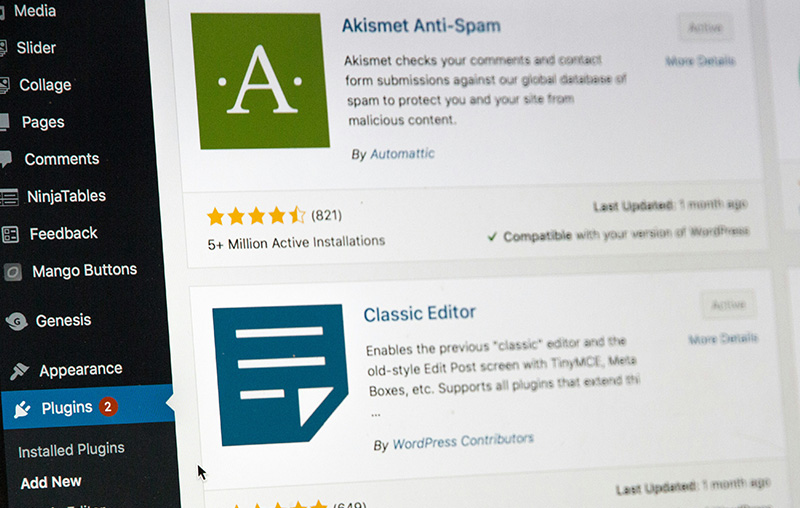
One of the most common misconceptions in web design is that a website is “done” once it launches. In reality, your website is a living piece of software. It requires ongoing updates, monitoring, and maintenance to stay secure and functional.
If you treat your site like a static brochure and ignore it after launch, you are quietly increasing your risk over time. That is especially true for businesses relying on their site as part of a broader custom WordPress web design strategy built to support credibility, inquiries, and long-term growth.
In 2026, website attacks are almost entirely automated. Hackers are not manually targeting small businesses one by one. Instead, bots continuously scan the internet looking for outdated plugins with known vulnerabilities.
The Reality of WordPress Security
WordPress is the most widely used content management system in the world. Its flexibility comes from a huge ecosystem of plugins that allow businesses to add contact forms, SEO tools, scheduling systems, e-commerce functionality, and other custom features without building everything from scratch.
That flexibility is one reason WordPress remains such a strong platform. It is also why businesses benefit from experienced WordPress web design services that prioritize not just launch-day appearance, but also long-term stability and maintainability.
The tradeoff is that every plugin adds another layer of code that must be maintained. When plugins are outdated, abandoned, or poorly supported, they become one of the easiest ways for attackers to get in.
An outdated plugin is not just a small technical issue. It can become an unlocked back door to your website, your forms, your hosting environment, and in some cases even your customer data.
The Core Risks of Ignoring Plugin Updates
Many business owners put off updates because they are busy, worried about breaking something, or assume their site is too small to be targeted. Unfortunately, that delay is exactly what attackers count on.
1. Automated Security Breaches
When a plugin vulnerability is discovered, the developer releases a patch. At the same time, that weakness becomes public knowledge. Security researchers document it, scanners pick it up, and attackers begin looking for websites that have not yet updated.
From there, automated bots do the work. They crawl the web looking for sites running old versions of vulnerable plugins and try to exploit them at scale. This is one of the biggest reasons WordPress maintenance is not optional once a business site is live.
2. Malware, Spam, and Search Visibility Problems
Once a site is compromised, attackers may inject malware, redirect visitors to spam pages, or use your server to send phishing emails. Sometimes the signs are obvious. Sometimes the damage sits unnoticed in the background until a customer reports it or Google flags the site.
If that happens, your business can lose trust fast. Search engines may label your site as unsafe, suppress your pages in results, or show security warnings before visitors can even reach you. For companies investing in local SEO services, that kind of issue can undermine the visibility you worked hard to build.
3. Slow Performance and a Worse User Experience
Outdated plugins often become bloated over time. They may run inefficient queries, load unnecessary scripts, or fail to work cleanly with newer versions of WordPress and PHP. All of that can slow down your website.
A slower website frustrates visitors, weakens conversions, and can hurt search visibility. Even if your design looks polished, the experience breaks down when pages lag, features hesitate, or mobile performance suffers.
4. Compatibility Problems and Site Breakage
Plugins do not operate in isolation. They interact with your theme, your hosting environment, your forms, your caching tools, and WordPress core itself. When some pieces are updated and others are not, conflicts begin to show up.
This is where businesses run into broken layouts, missing functionality, checkout issues, or contact forms that silently stop working. If your website is a core business asset, that kind of failure can cost you leads without you realizing it. You can see the standard I aim for in recent website case studies where performance, clarity, and stability all have to work together.
Why Clicking “Update” Is Not Enough
At first glance, the solution seems simple: log in and click update. The problem is that blindly updating a live website without a process can create new issues just as quickly.
Not every plugin update is clean. A new release can introduce bugs, remove features, or conflict with other parts of the site. That is why professional website care involves more than just pushing buttons.
A better process includes:
- Taking a full backup before updates are run
- Testing updates in a safe environment when possible
- Reviewing the site after updates to catch errors quickly
- Rolling back changes if a plugin causes a conflict
- Removing plugins that are outdated, unnecessary, or no longer well-supported
This is one reason many businesses prefer ongoing WordPress support rather than trying to manage plugin updates reactively after something breaks.
How Often Should WordPress Plugins Be Updated?
There is no one universal schedule for every website, but waiting months between updates is where risk starts to build. Security-related patches should usually be addressed quickly, while other updates should be handled with a little more testing and oversight.
In general, it is smart to:
- Review available updates weekly
- Apply security updates promptly
- Audit plugins regularly and remove anything unused
- Replace outdated or abandoned tools before they become a liability
Inactive plugins are often overlooked, but they can still create security exposure. If they are installed on the server, they still deserve attention.
Protecting Your Website Long Term
Your website is not just a marketing piece. For many businesses, it is the first impression, the credibility check, and the main place potential clients decide whether to reach out.
That is why plugin updates should be treated as part of the larger health of the site. Good design gets a website launched. Ongoing maintenance keeps it secure, fast, and dependable after launch.
Rather than waiting for a hacked site, a broken form, or a sudden performance drop, proactive WordPress maintenance helps keep your plugins updated, your backups secure, and your website running the way it should.
If your site has not been reviewed recently, this is a good time to take a closer look. You can contact me for a review, or take a look at my WordPress maintenance services to see how I help businesses keep their websites protected and up to date.
